Google Maps is the most reliable app which we use whenever we go to an unknown location. Be it traveling on a trip along with our friends or going alone for an interview, we always prefer Google Maps. But do you know that many features in Google Maps could make your travel more efficient and time-saving?
Unfortunately, all these features are hidden in the settings and menus. But no need to worry because we will uncover all those hidden features which will save your time, money, and energy. These hidden features can also ensure your safety.
Here is the list of features that you will find helpful while using Google Maps.
1. Remember Your Parking Spot
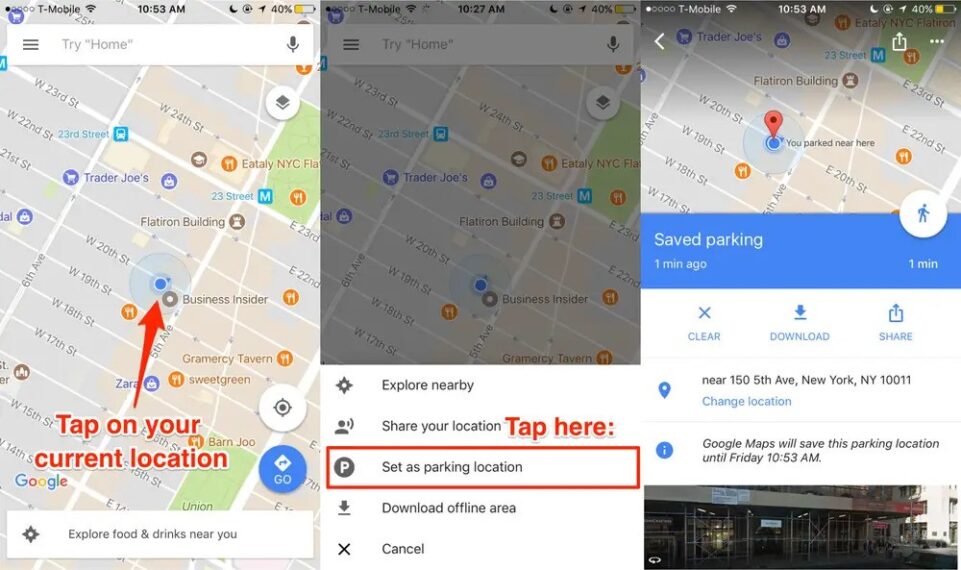
Whenever we visit a shopping mall, theatre, or wedding ceremony. All we do is enjoy and have fun, but while leaving, we find it difficult to remember where we have parked our car. In this case, Google Maps ‘Save parking’ feature helps us. Whenever we reach our destination, we have to click on the ‘blue location dot’ and ‘set as parking location.’ Then our parking location is set and easily trackable on the maps.
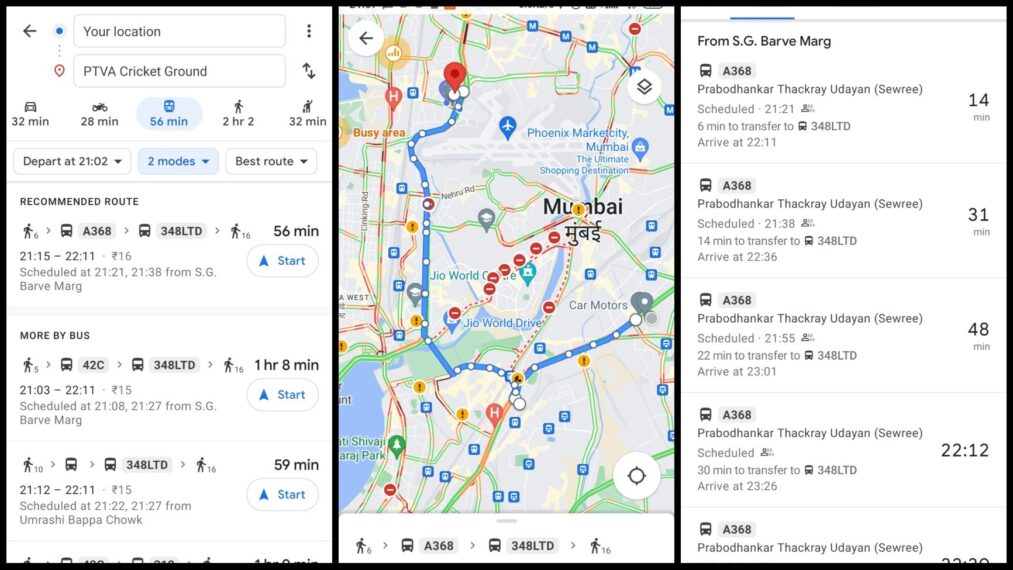
2. Check The Schedule Of Buses And Trains
Traveling from buses and trains is our daily commute. Knowing the proper schedule of buses and trains provides us an upper hand to reach any place on time. Here is how Google Maps can help in finding the appropriate timings for buses and trains. Enter your destination > click on ‘Directions’ then you can see all the ways through which you can reach your station > select bus or train. By clicking on the bus number, you can find the proper schedule for that bus.
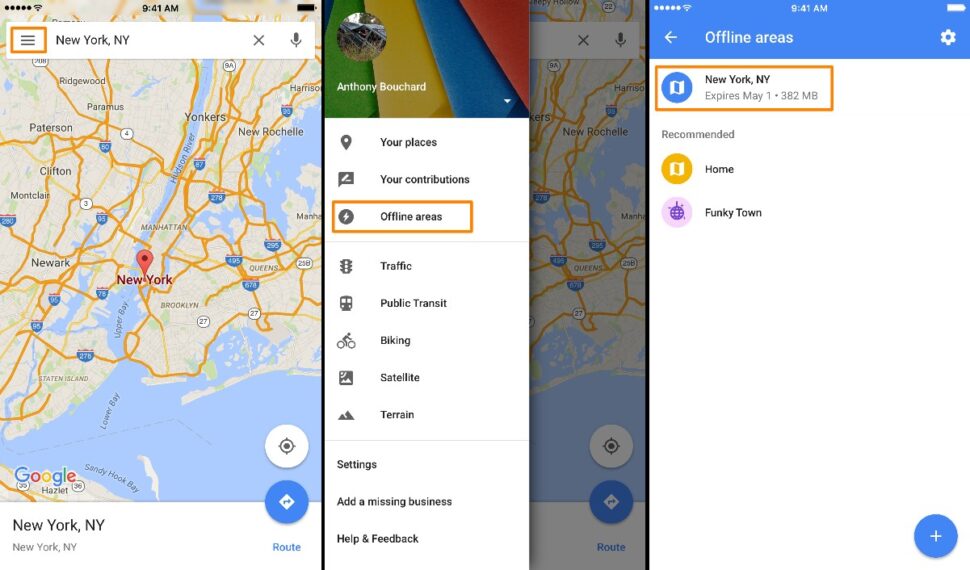
3. Download Offline Maps
Suppose your going to a remote place where there is no network or your mobile data is exhausted on the way. In this situation, you can use the ‘download offline map’ feature. Open Google Maps and click on the menu or your email image; there you will find the option of ‘download offline’ and then capture the maps you need by dragging and cropping.
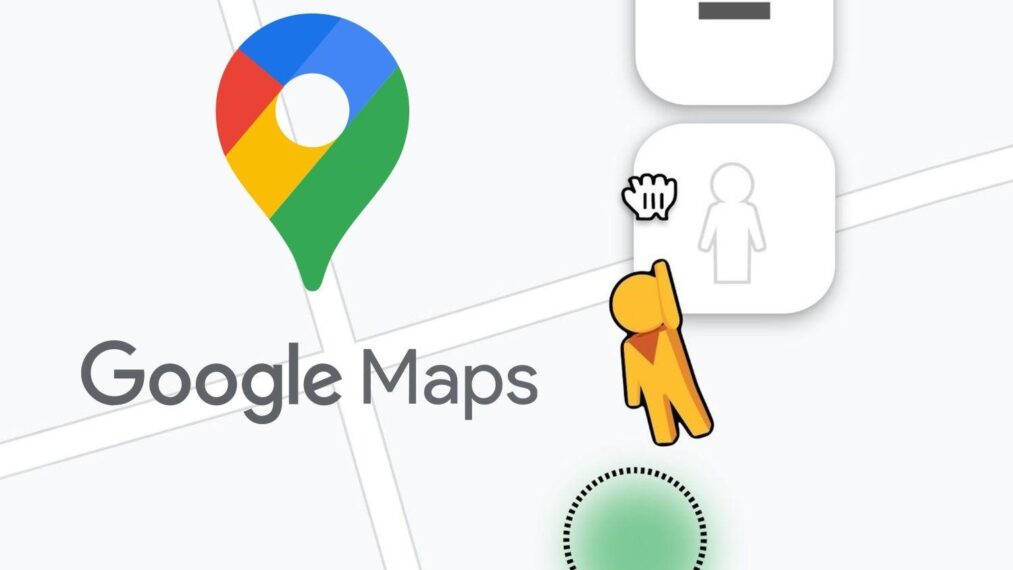
4. Visit Any Place By Using ‘Street View’
Street View is a fantastic feature in Google Maps that can virtually take you to any place worldwide. If you are using a computer, you will find the symbol of a ‘yellow animated man.’ Just drag that man on the map and drop him then, you can see the 360 degrees images of that place, and move around that place by clicking on the arrows. Street view works anywhere in America, but in India, it is available in select locations.
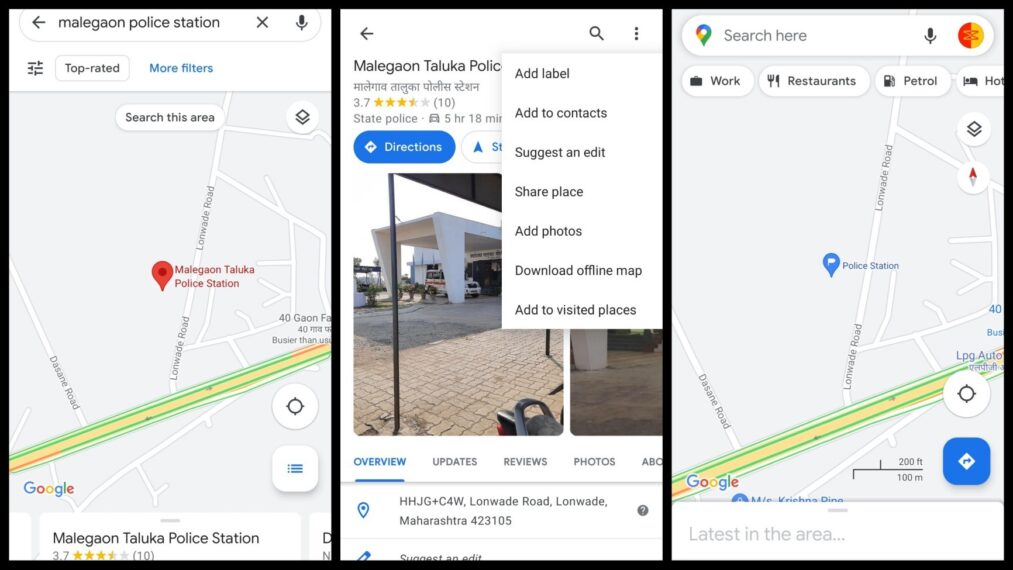
5. Customize Location Labels
You customize the labels of various places like restaurants, hospitals, banks, schools, etc. By labeling multiple locations, you can find them on your Google Maps without even searching. These labels will pop up whenever you open Google Maps, thus saving your time. Select any place > Open the menu > Click on three-dot > Enter the label.
6. See Inside A Shopping Mall
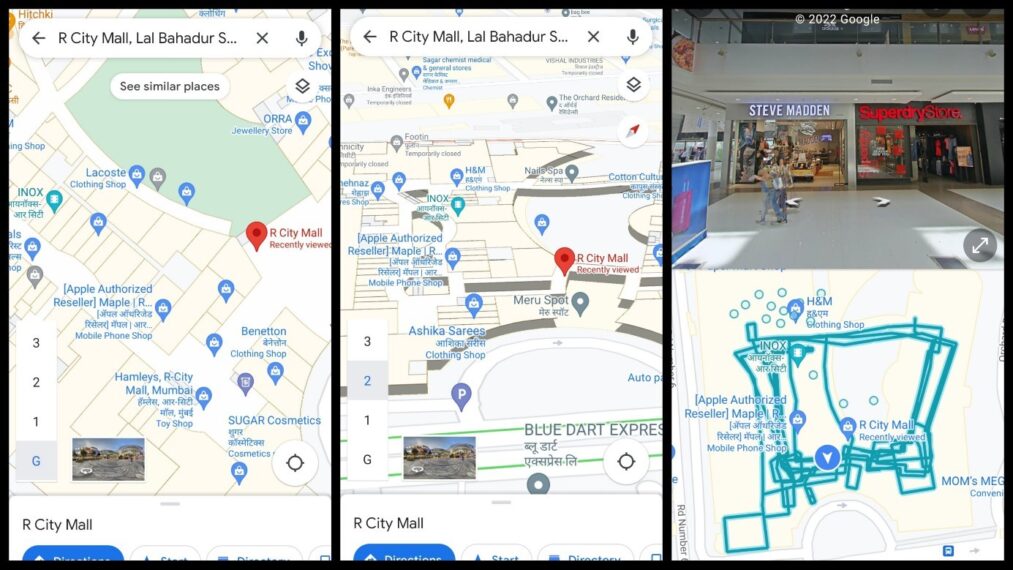
Nowadays, shopping malls are like a maze where finding a theatre or a particular shop will take a considerable amount of time. Here also, Google Maps can help you, just zoom in on a shopping mall, and you will find the names of all the shops present in that shopping mall. You can also see through different floors of that shopping mall.
7. Share Real-Time Location
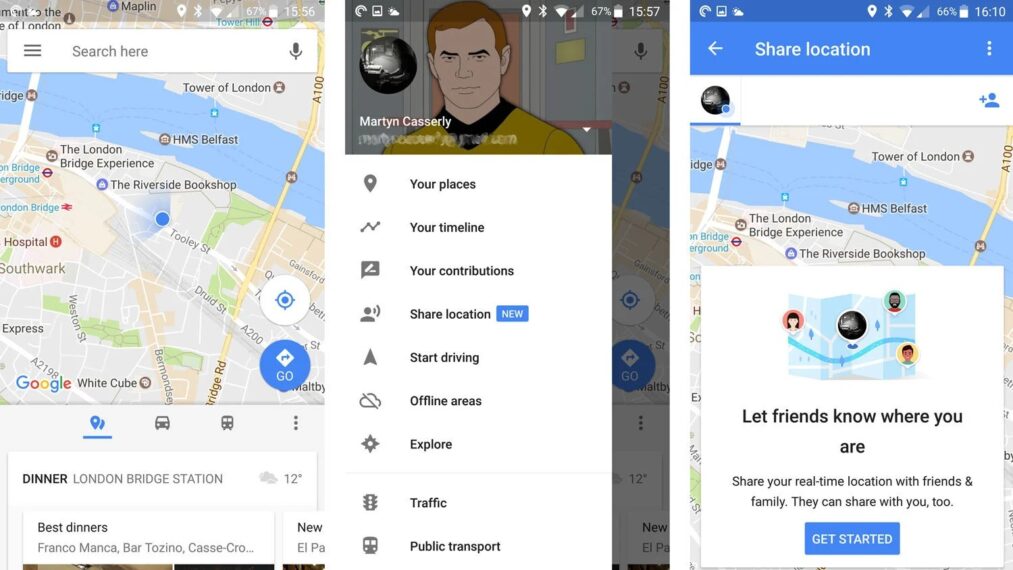
At times it is beneficial to share your real-time location with your friends and family members. Suppose you are going to an amusement park and you cannot find your friends or family members. In such a situation, sharing your location is the best option. Click on the ‘Blue location dot,’ then click on ‘share location’ and choose with whom you want to share your location.
8. Avoid Highways And Tolls
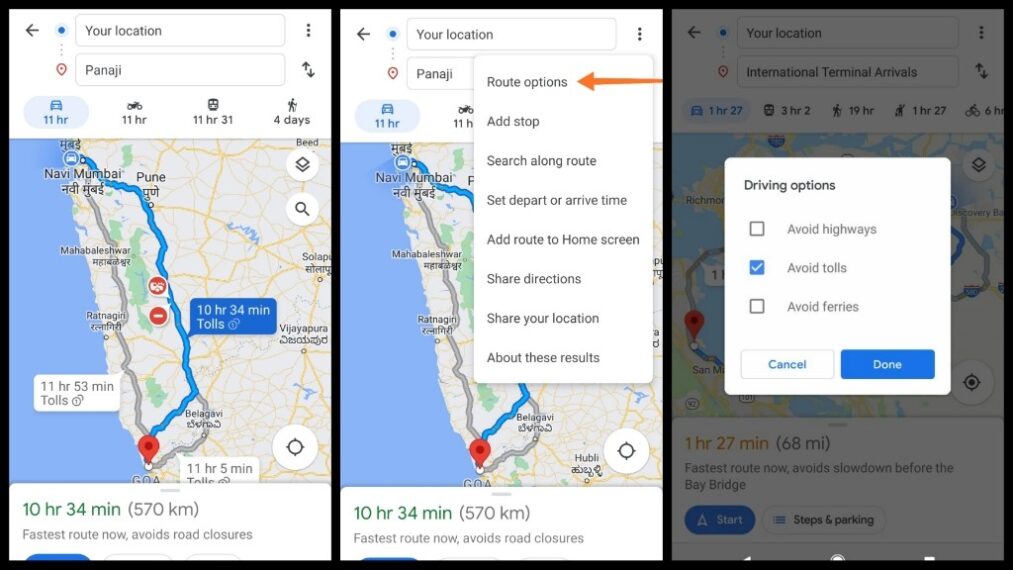
If you are driving your bike but forget to wear a helmet, then it is better to avoid highways or get ready to pay a fine. Google Maps has a feature through which you can avoid highways. Enter the destination where you want to go, click on the ‘three dots,’ and then click on ‘route options’ to find the option ‘Avoid Highways.’ Similarly, you can also avoid tolls and ferries. Caution: Always wear a helmet while driving a two-wheeler.
9. Orient Yourself
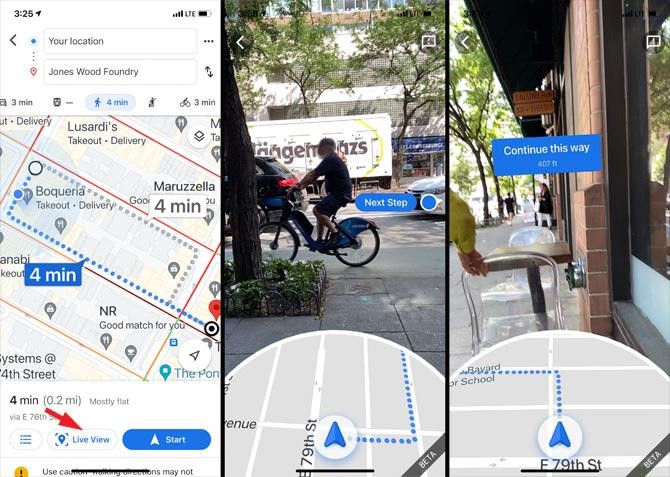
Reading a map is very difficult, especially for new users, when they are using Google Maps while walking. It isn’t easy to understand in which direction we are moving. Here, Google Maps ‘Live View’ feature truly helps. Enter the destination where you want to go, then click on the ‘Live View’ options. Now you can see through your camera, and maps will show you directions simultaneously. This feature is still in its development phase and works only in a few metro regions.
10. Zoom In And Zoom Out Using Your Thumb
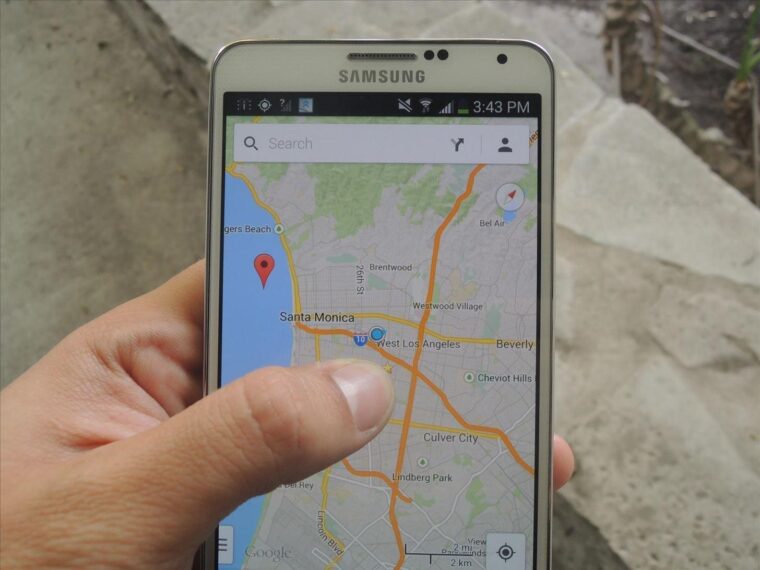
Smartphone screen size is increasing day by day, and using a smartphone just with one hand is a difficult task. While using Google Maps, we generally use both of our hands or at least two fingers to zoom in and out, but we can zoom in using a double-tap and zoom out just by pressing two fingers at once. But there is one more way to do that, double-tap on your screen and do not remove your finger on the second tap. Instead, move your finger up and down to zoom in and zoom out.
11. Change Your Vehicle Logo
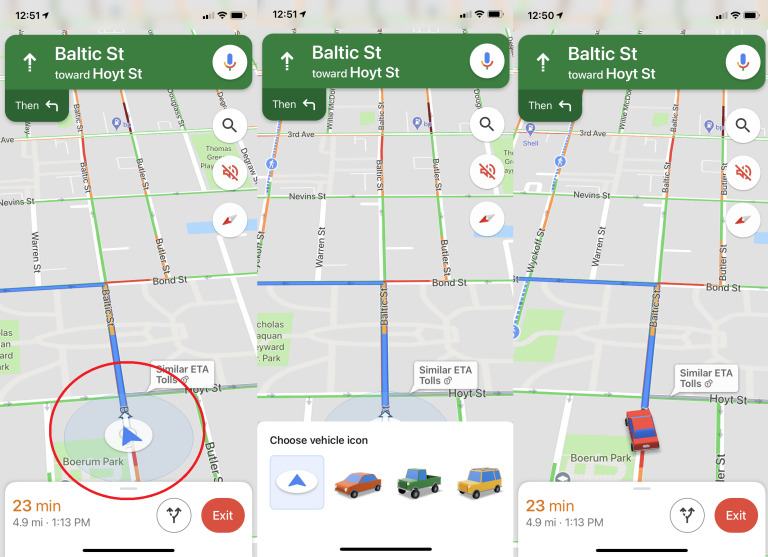
It is an exciting feature of Google Maps. When we are driving our vehicle while using Google Maps, we can change that blue arrow by the logo of an animated car. Click on the ‘Blue arrow sign’ while in the driving mode, and you can replace that sign with any animated vehicle you like.
12. Change Travel Route By Drag And Drop
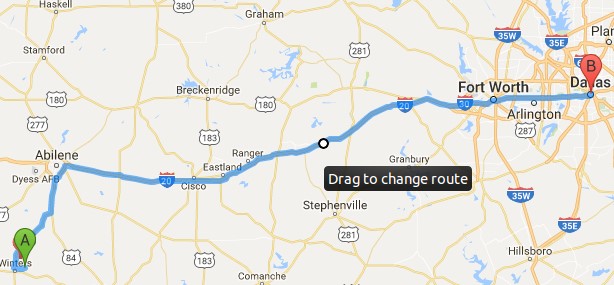
If you are using your mobile phone, you can find two or three routes to reach your destination. But on the Desktop version of Google Maps, you can change your travel route in any direction by dragging the ‘blue way’ shown on the map and dropping it anywhere. Google maps will show you all the possible ways to reach your destination.
13. Always Reach On Time
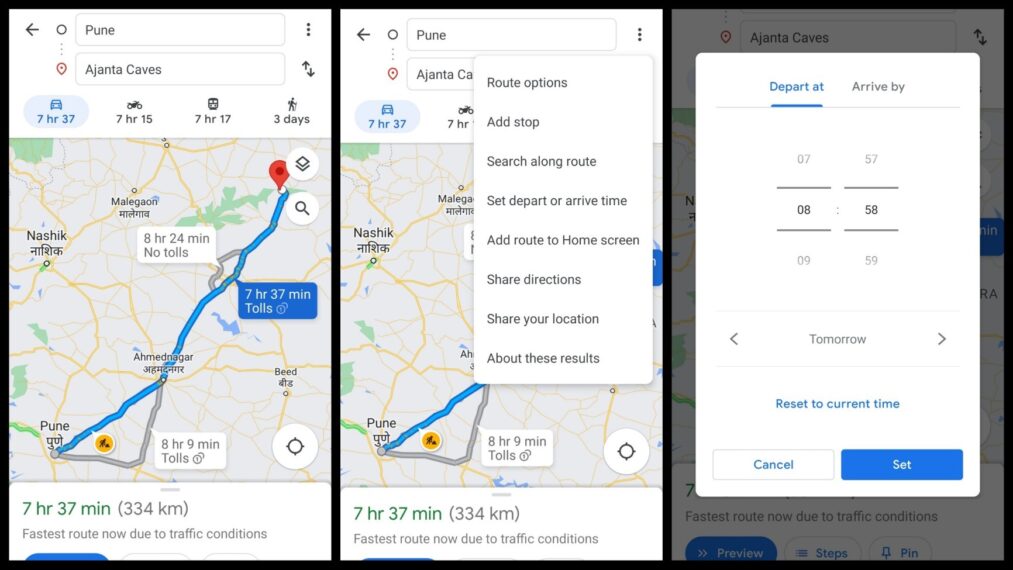
Some places are not open all the time, like gift shops, amusement parks, etc. Suppose there is a sale in one of the shops and you are required to reach that shop right when it opens. Here, Google Maps can help you to reach on time. Enter the destination > click on directions > Set depart or arrive. Then set the time when you want to depart. Google Maps will provide you with the exact time by which you will reach that place. Adjust the time accordingly to reach on time.
14. Avoid Traffic Jams
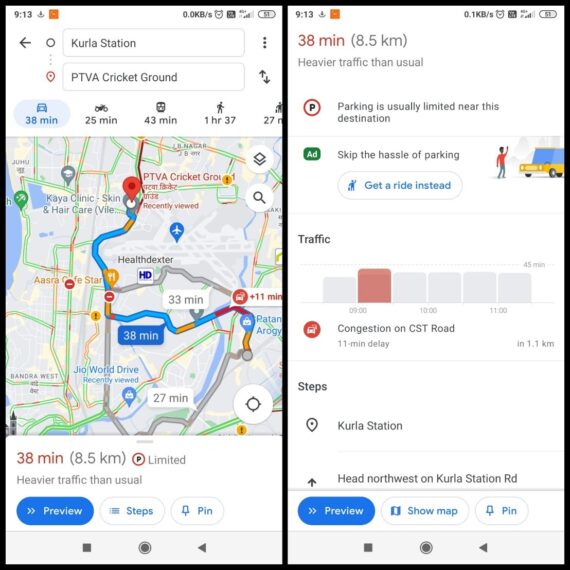
No one likes to get stuck in traffic jams, and it is tough to know, in unknown places, the amount of traffic on the road. But in Google Maps, you can see the amount of traffic present on the road, represented by the red lines on the road. So you can either choose to go when there is less traffic or avoid the highways where there are traffic jams.
15. Avoid Crowd
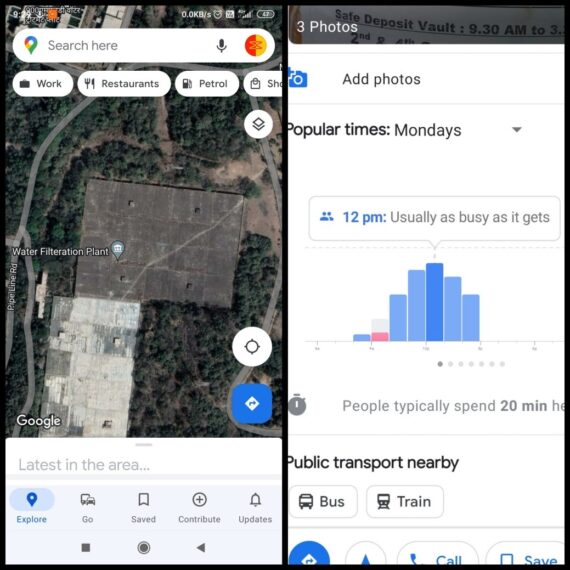
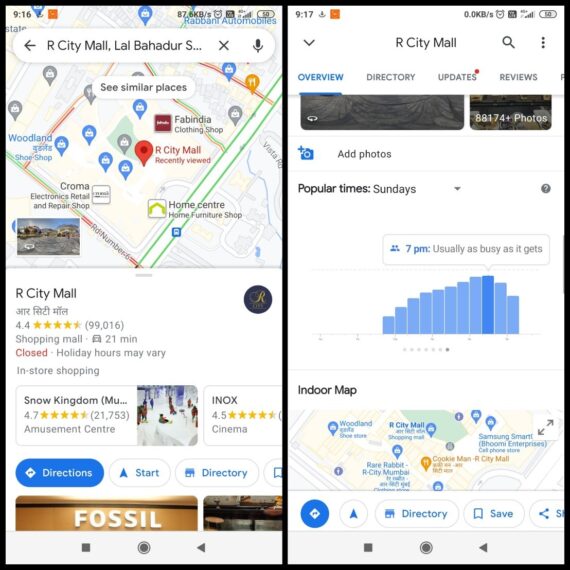
No one likes crowded places be it shopping malls, grocery stores, or banks. Google Maps can help avoid crowds and get whatever you want without any trouble. Click on the place where you want to go, then scroll down the menu of that place till you find the section of ‘Popular times.’ In that section, you can see when that place is most crowded and least crowded.
16. Measure Distance
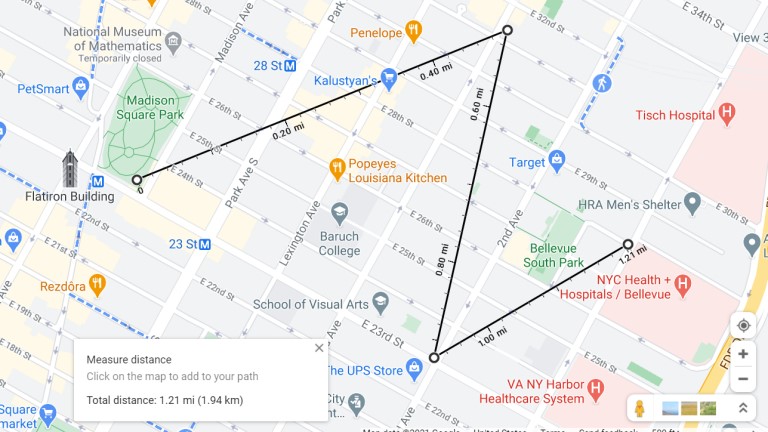
Using Google Maps, you can measure the distance between two points on the map. For the desktop version, right-click on the point from where you want to measure the length. Then from that point, click anywhere you want, and Google maps will show you the distance between those two points.
For the mobile version, click on any point, go into the menu and click on ‘measure distance.’
17. Check The Wheelchair Accessibility Of The Place
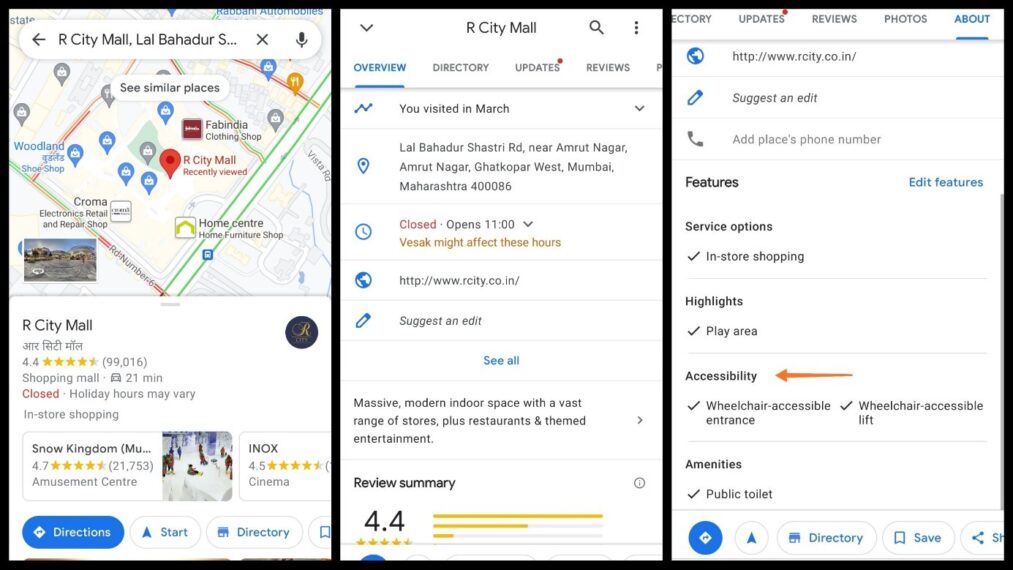
On Google Maps, you can check the accessibility of various places like malls, cafes, banks, etc. Through this feature, Google Maps helps people who can access a site only through a wheelchair. Click on the site where you want to go > open the menu of that site by scrolling down > click on the ‘see all’ option. There you can check whether that site is wheelchair accessible or not.
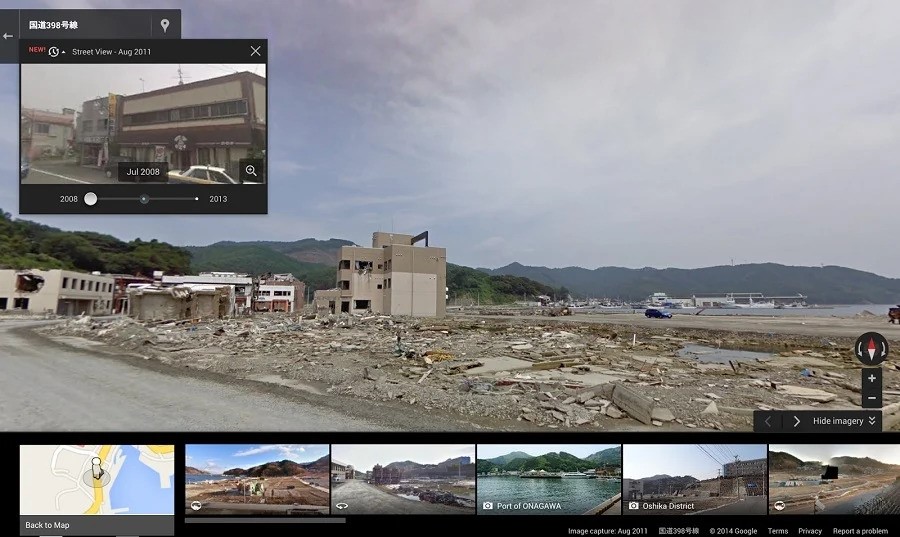
18. Time Travel To The Past
For doing this, the little yellow animated guy comes to our help. Just drag that yellow guy on the maps and drop him anywhere you want. Then he will take you to ‘street view,’ where you will find a block on the top left-hand side. Click on that block; from there, you can jump back in the timeline and find older images of that place. Thus, time travel is possible through Google Maps.
19. Keep Your Eyes On The Road While Driving
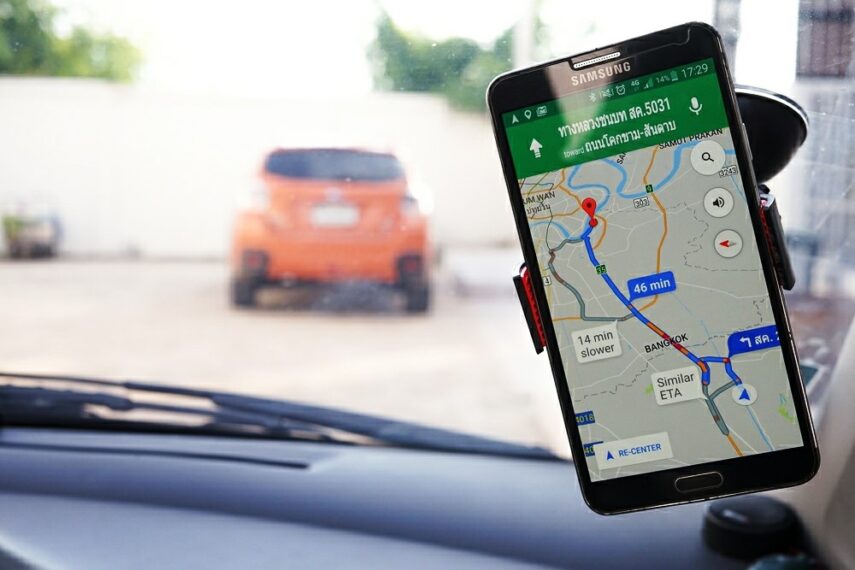
While driving a car, it is always advised to keep your eyes on the road. Google Assistant can help you in keeping your eyes always on the road. Set up Google Assistance on your mobile and turn on ‘Hey Google’ detection on Google Maps. Then say Ok Google or Hey Google while driving the car and set your destination, route, etc., through voice command. Generally, on drive mode, Google Maps dictate you all the turns without Google assistant.
20. Know Before You Go
Sometimes we have to visit unknown places for various reasons like job interviews, meeting any distant relative, etc. In such situations, always know about the safety of that place. Here also, Google Maps can become your savior. You can check the location on the satellite view, check whether the site is isolated or not, and check how many people visit the site. Through the various features available on Google Maps, you can ensure your safety. In case of any emergency, share your location with your loved ones.